Features
How LabExpra Structures Your Research
LabExpra structures how research is planned, executed, and analyzed—covering material synthesis, deposition, testing, and performance evaluation in one system.
Integrated inventory, stock management, and project tracking provide visibility into materials, expenses, and progress. Built-in reporting makes research data easy to capture, export, and share.
Inspired by established practices in thin-film research, LabExpra uses a structured framework—Processes, Runs, and Experiments—applicable across materials science and engineering workflows.
Define and Standardize R&D Processes with User-Defined Parameters
Process forms are versatile, allowing users to define processes for material preparation through solid-state, solution-based, or vacuum-based routes, including ceramic, polymer and metallurgical processing.
Workflow: Process → New Process → Define Parameters → Add Attachments → Save (Edit anytime or save as a standard process for reuse)
Define Test Parameters and Initialize Process Runs
Load a defined process and create multiple parameter sets to run it under varying conditions such as temperature, pressure, or composition. Assign samples to each set and define test parameters such as resistivity, porosity, or bandgap to study material response and process performance across runs.
Workflow: Process Run → Load Process (parameters from the selected process loaded as Set 1) → Define Test Parameters → Create Additional Parameter Sets
Execute Runs with Sample Assignment and Result Recording
Record measured values for test parameters against each sample and attach relevant files. This can include resistivity measurements with current–voltage data, bandgap from absorption spectra, porosity from weight and dimensional measurements, or characterization data such as Raman spectra and raw data files. Additional files can be added at the process run level to maintain complete data, observations, and complete documentation.
Workflow: Vary Parameter Sets → Assign Samples → Record Results → Upload Files → Write Observations → Save
Analyze Process Runs Across Samples and Parameter Variations
Select samples across runs and parameter sets, and plot test parameters against one or more variables for structured comparison. Analyze trends such as resistivity vs temperature or composition (I–V data), bandgap from absorption spectra, or porosity vs processing conditions. This links process parameters with results to identify trends and determine optimized conditions.
Workflow: Analytics → Process Run Analytics → Select Samples & Parameters (Process or Test) → Generate Plot → Save with Notes
Multi-Step Experiments
Experiments in materials and device R&D often involve multiple sequential steps, where each step builds on the previous one. Managing these workflows is typically fragmented, making it difficult to track sample evolution and maintain continuity across the experiment.
LabExpra connects defined processes and runs into a single experiment flow.
Workflow: Experiment → Define Steps → Assign Processes (with Parameter Sets) → Execute Step-wise on Samples → Record Results & Attach Files → Consolidate Observations → Generate Report
Experiment Setup and Execution
Sequential processes are carried out on samples for device fabrication—such as solar cells, sensors, batteries, fuel cells, transistors, quantum devices, and magnetic devices—as well as for material systems like alloys, ceramics, and advanced functional materials.
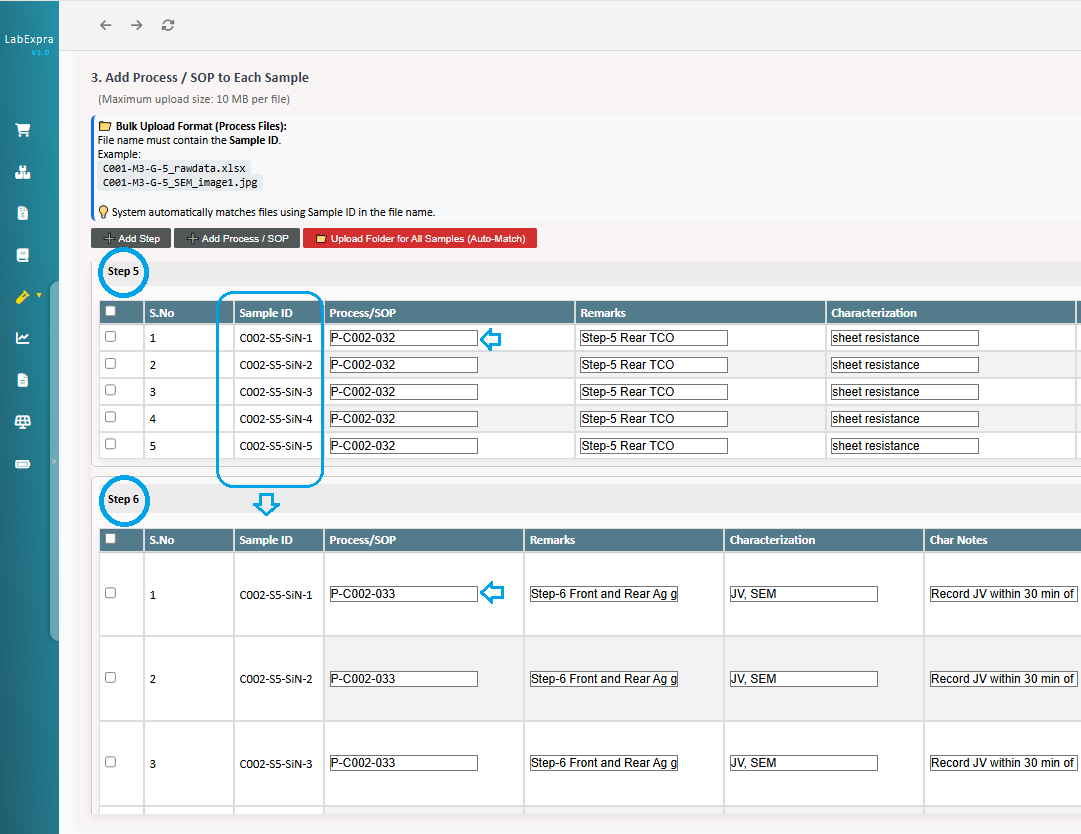
Such sequential processes are planned as experiments in LabExpra and defined as step-based workflows on a consistent set of samples, where each sample progresses through a defined sequence of steps. At every step, a specific process is executed as a run under controlled conditions, ensuring traceability and reproducibility.
Characterizations and tests are defined at each step of an experiment, while results and related files are recorded at the end of the experiment against each sample—providing a continuous view from setup to outcome.
Generate Structured Experiment Reports with Complete Traceability
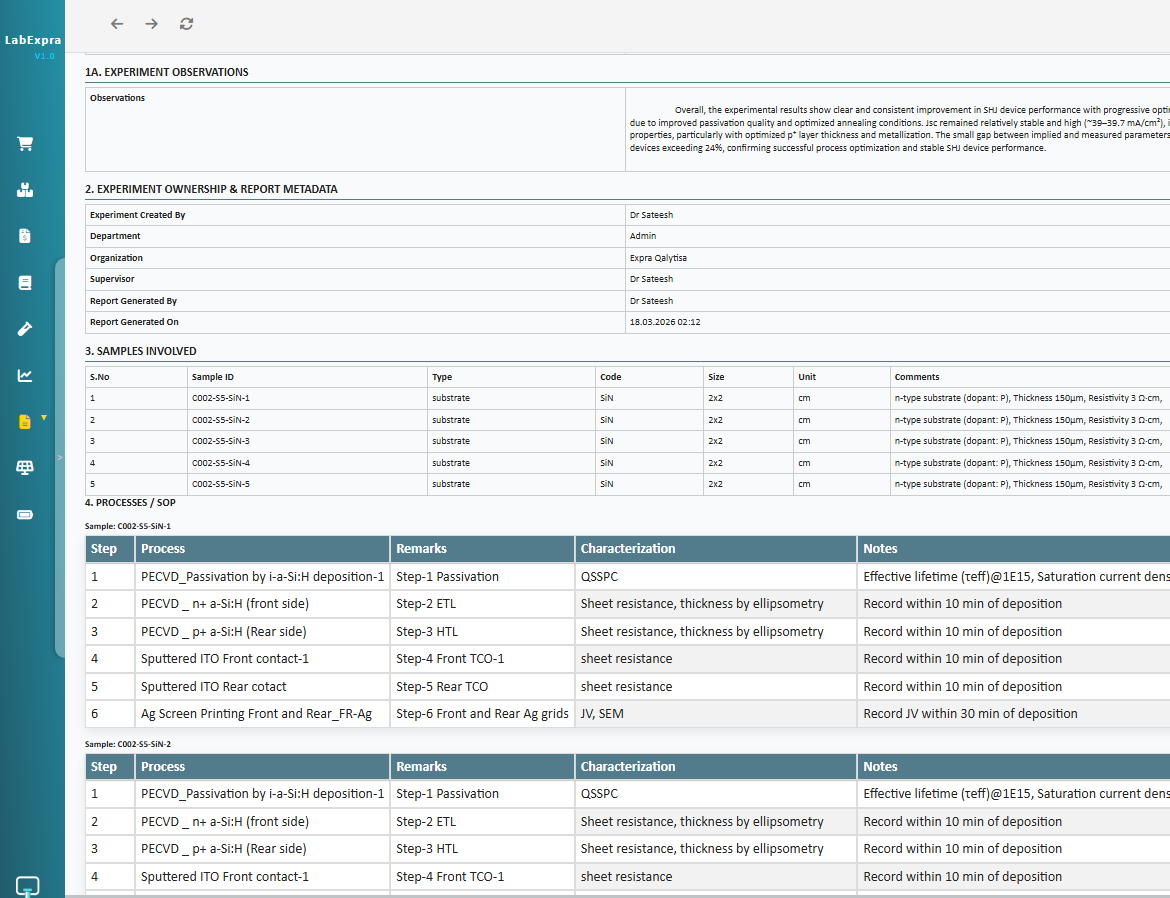
In many research workflows, experimental outputs are scattered across notes, spreadsheets, and individual records, making it difficult to understand how each sample evolved, what processes were applied, and how results are connected.
LabExpra compiles experiments into structured reports, capturing sample-wise process sequences across all steps, along with results, files, and observations in a single view. This simplifies review and reporting, and transforms experimental work into clear, well-documented outputs.
Manage Materials, Inventory, and Projects in One Connected System
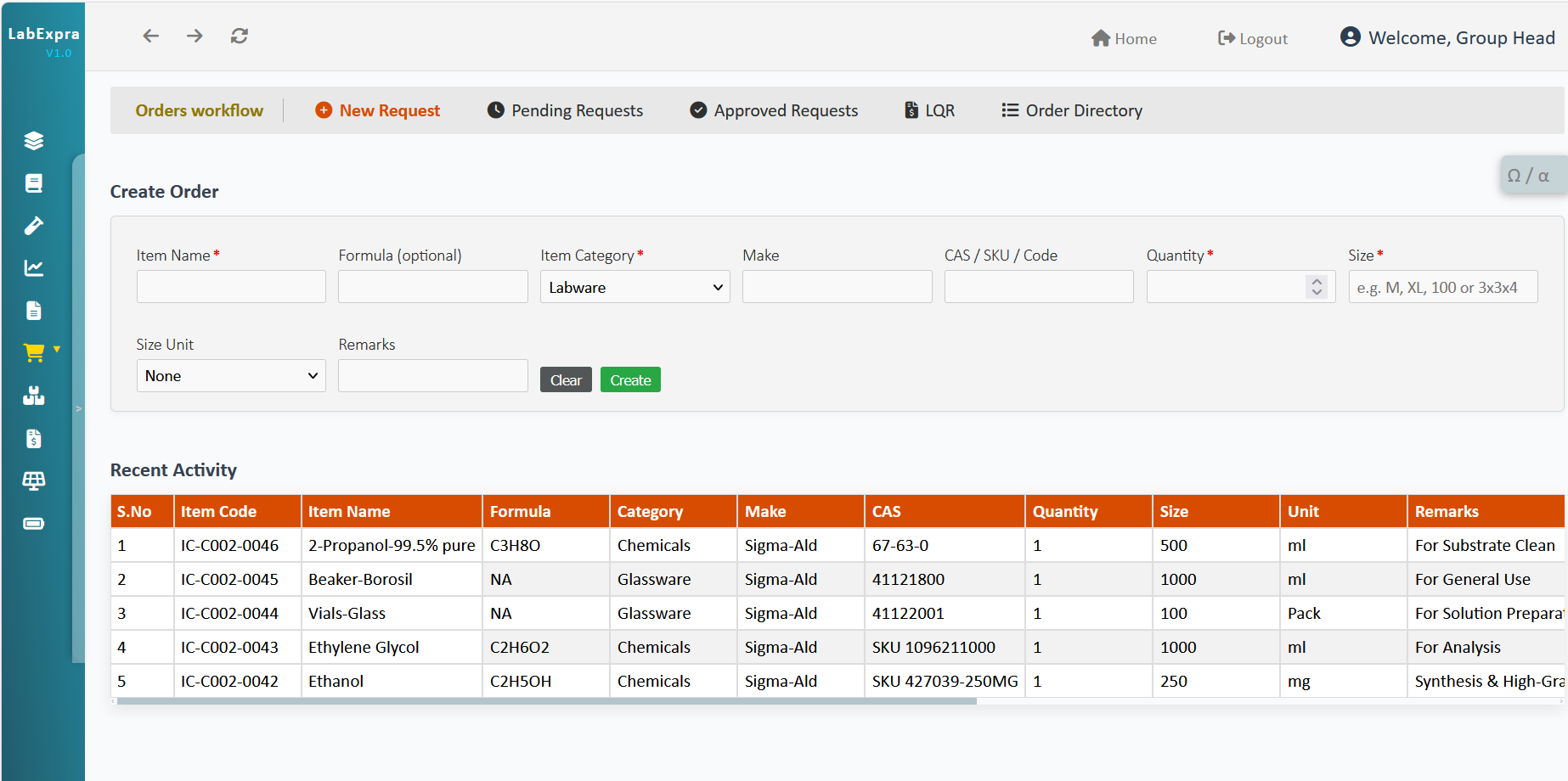
LabExpra extends beyond experiments by integrating procurement, inventory, and project tracking—ensuring materials, expenses, and research activities remain structured and connected.
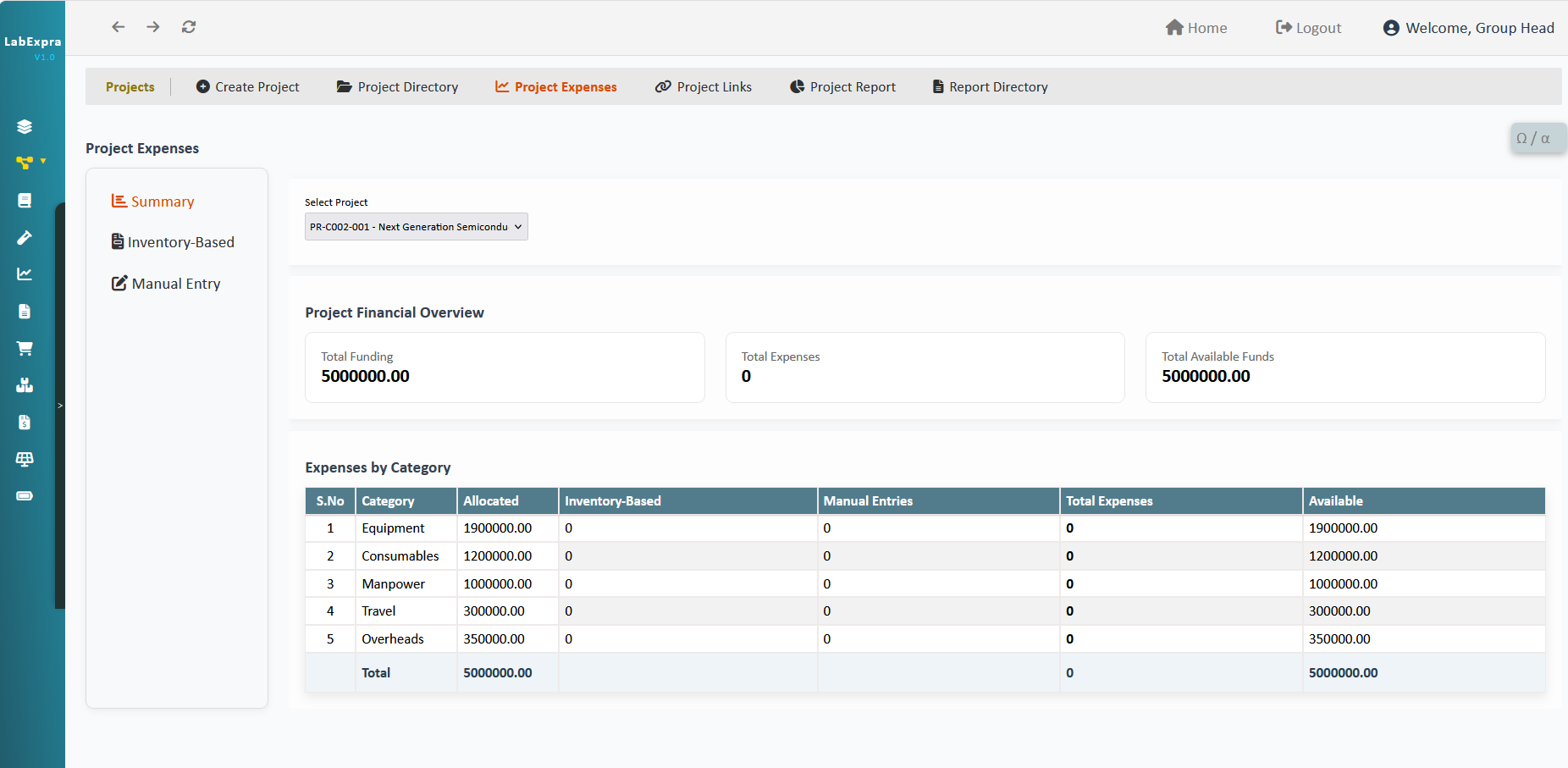
Manage Research Projects with Budget and Progress Tracking
Define research projects with categories and allocated budgets to track expenses effectively. As inventory and invoices are recorded, costs are automatically mapped to project categories, enabling real-time expense tracking. Processes, experiments, and stock are linked to projects, allowing you to monitor progress and generate reports with complete visibility.